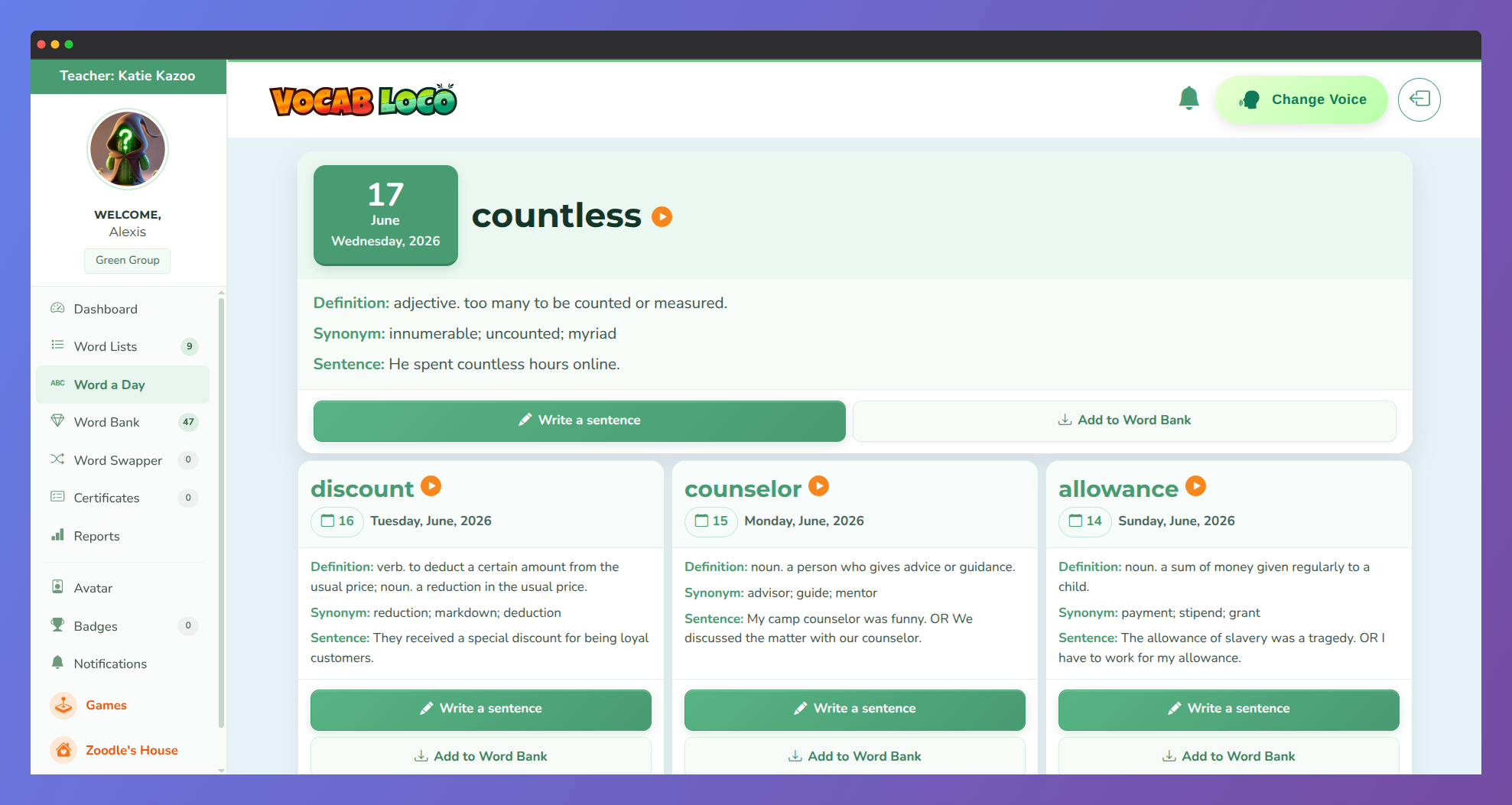
Word a Day shows you a new vocabulary word every day, chosen for your grade level. You can explore the definition, listen to it read aloud, save it to your Word Bank, and earn a Game Coin by writing your own sentence with it.
Step 1: Go to Word a Day
- Click Word a Day in the left sidebar, or find the Word of the Day widget on your dashboard and click View All Words.
- The page shows up to 31 days of words — today's word appears first, and past words follow below.
Step 2: Explore today's word
- Today's word card appears at the top and is marked with a "Word of the day" ribbon.
- Each card shows:
- Definition — what the word means.
- Synonym — a word with a similar meaning (if available).
- Sentence — an example showing the word in use (if available).
- Click any Read To Me button to hear the word, definition, or sentence read aloud.
Step 3: Browse past words
- Use the left and right arrows on any card to move between words day by day.
- The date shown on each card tells you exactly which day that word came from.
- You can save words or write sentences for any past word, not just today's.
Step 4: Save a word to your Word Bank
- Click Save word to Word Bank at the bottom of any card to add that word to your Banked Words collection.
- A success message will appear confirming the word was saved, and you'll earn 1 minute of Pookie playtime as a reward.
- The button turns green and shows Already in Banked Words once a word has been saved — each word can only be saved once.
Step 5: Write a sentence and earn a Game Coin
- Click Write a sentence on any word card. A dialog will open asking you to write an original sentence using that word.
- Your sentence must follow these rules:
- Include the word from the card.
- Have at least 4 words.
- Start with a capital letter.
- End with punctuation (. ! ?).
- Be your own original sentence — the example sentence from the card won't be accepted.
- Click Publish Sentence to submit. On success, you'll earn +1 Game Coin and the button will update to Sentence Submitted.
? You can save a word AND write a sentence for it — both actions are independent and each gives you a different reward. Do both to get the most out of every word!
Was this article helpful?
That’s Great!
Thank you for your feedback
Sorry! We couldn't be helpful
Thank you for your feedback
Feedback sent
We appreciate your effort and will try to fix the article