Word a Day is a daily vocabulary widget that appears on the student dashboard, showing a new word with its definition and synonyms each day. If you prefer to keep your students focused on their assigned word lists, you can disable it at any time and re-enable it just as easily.
Step 1 — Open Customize Program
From the Teacher Dashboard, click Customize Program in the left sidebar.
Step 2 — Find the Word a Day setting
Scroll down to the Word a Day card. You will see a dropdown currently set to Enabled.
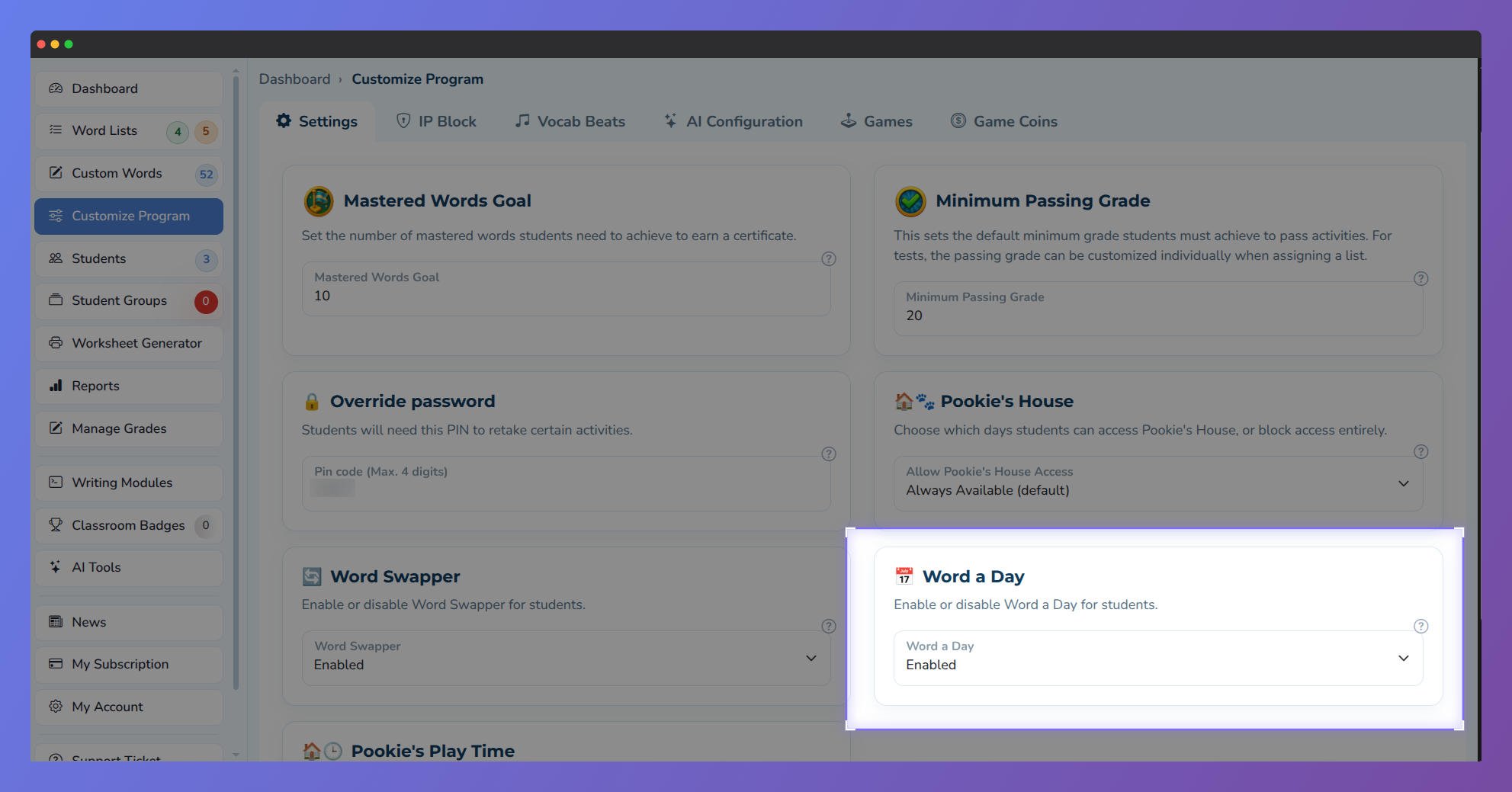
Screenshot showing the Word a Day setting in the Vocab Loco Teacher Panel. Teachers can enable or disable the Word a Day feature for their students, allowing classrooms to receive a new vocabulary word each day.
Step 3 — Disable or re-enable Word a Day
Open the dropdown and select Disabled. The change is saved automatically, with no additional confirmation needed.
To re-enable it later, return to the same setting and select Enabled.
Once disabled, the Word a Day widget, the Word a Day page, and the sidebar link are all immediately hidden from students in your classroom.
Was this article helpful?
That’s Great!
Thank you for your feedback
Sorry! We couldn't be helpful
Thank you for your feedback
Feedback sent
We appreciate your effort and will try to fix the article