Your avatar is the character that represents you across Vocab Loco. You start with a set of avatars ready to use — and as you master more words, new ones unlock automatically. Here's how to find, choose, and unlock your avatars.
Step 1: Go to your Avatar page
- Click Avatar in the left sidebar. You can also click your avatar image at the top of the sidebar to go there directly.
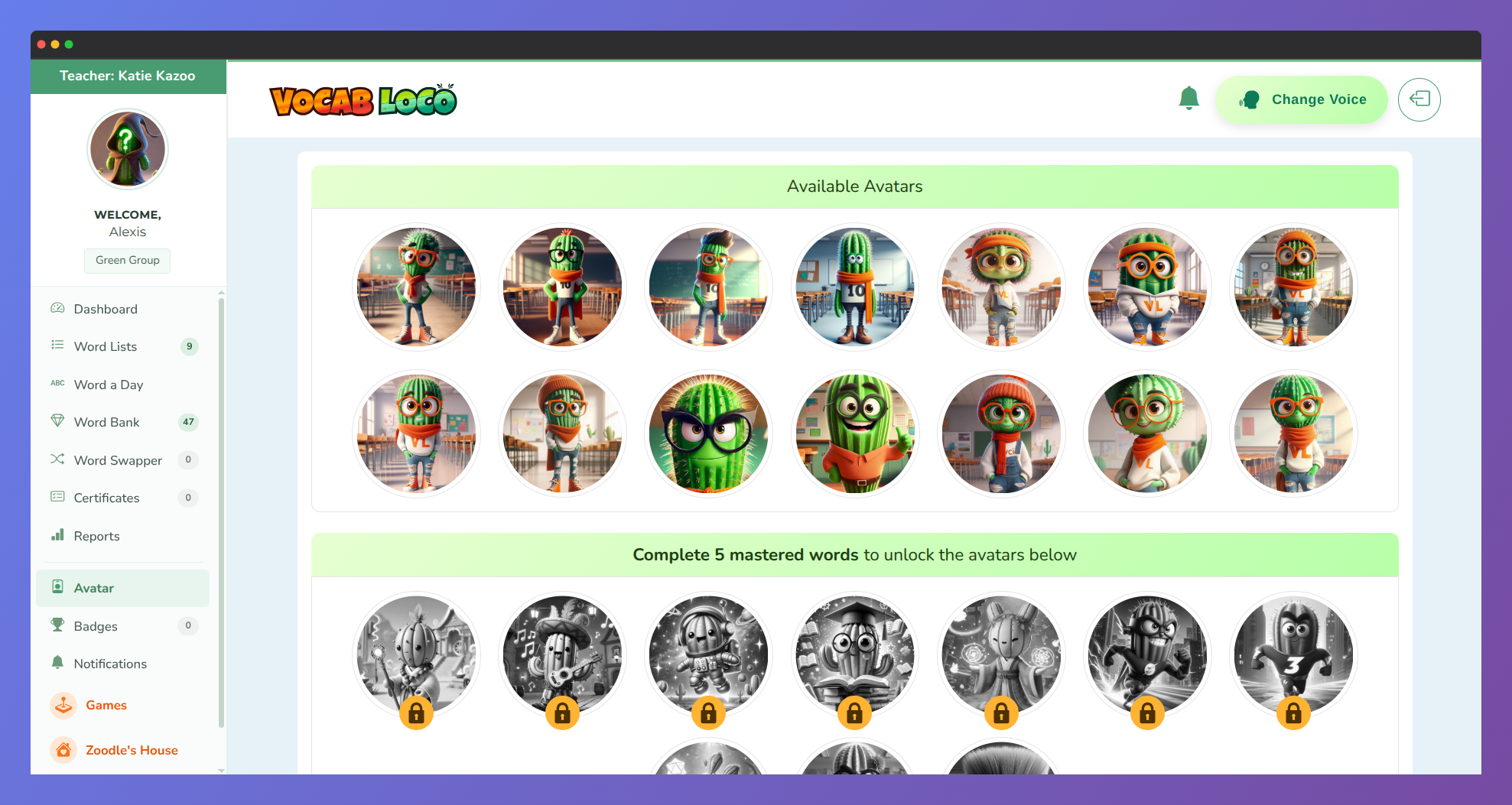
- The page title reads "Change your avatar" and shows all the avatars available in the platform, organized by unlock level.
Step 2: See which avatars are available
- The page is divided into sections. The first section — Available Avatars — shows everything you can use right now.
- Below that, locked sections show the avatars you haven't unlocked yet, along with how many mastered words are needed:
- "Complete 50 mastered words to unlock the avatars below."
- "Complete 100 mastered words to unlock the avatars below."
- If you click a locked avatar, a message will tell you exactly how many mastered words you still need to unlock it.
Step 3: Choose and activate an avatar
- Click any unlocked avatar. A confirmation dialog will appear showing a preview of the avatar.
- Click Yes, use this avatar! to confirm. A success message will appear and your avatar updates immediately.
- Your new avatar will appear in the sidebar and on your dashboard. The selected avatar is highlighted with a green background and a checkmark below it so you always know which one is active.
Step 4: Unlock more avatars by mastering words
- New avatars unlock automatically as you reach mastered words milestones. The more words you master, the more characters become available.
- To check your current mastered words count, look at the Mastered Words badge in the left sidebar — it always shows your latest total.
- Keep practicing your daily review tests in Banked Words to move words up to Rank 3 and unlock the next avatar group faster.
? You can change your avatar as many times as you want — switching back and forth between any avatar you've already unlocked is always free!
Was this article helpful?
That’s Great!
Thank you for your feedback
Sorry! We couldn't be helpful
Thank you for your feedback
Feedback sent
We appreciate your effort and will try to fix the article