When a word list is assigned with scheduled dates, students can only access lessons during the windows you set. If you want a student to move at their own pace instead, you can remove the schedule — without dates, the student automatically switches to Student Progress mode and advances through the lists by completing activities.
Removing a schedule does not delete the student's progress. Their activity history is preserved — only the date restrictions are removed.
Remove the schedule for one student
- In the sidebar, click Word Lists, then open the Assigned Lists tab.
- Find the word list card and click Edit Assignment.
- In the "What do you want to edit?" modal, click Schedule (step 4).
- In the schedule table, find the student and click the reset icon () on their row.
- Confirm the action.
The student's dates are cleared and they move to Student Progress mode automatically.
Remove the schedule for multiple students
- In the sidebar, click Word Lists, then open the Assigned Lists tab.
- Find the word list card and click Edit Assignment.
- In the "What do you want to edit?" modal, click Schedule (step 4).
- In the schedule table, check the boxes next to the students whose schedule you want to remove. To select everyone, use the checkbox in the table header.
- Click Reset Selected Schedules.
- Confirm the action.
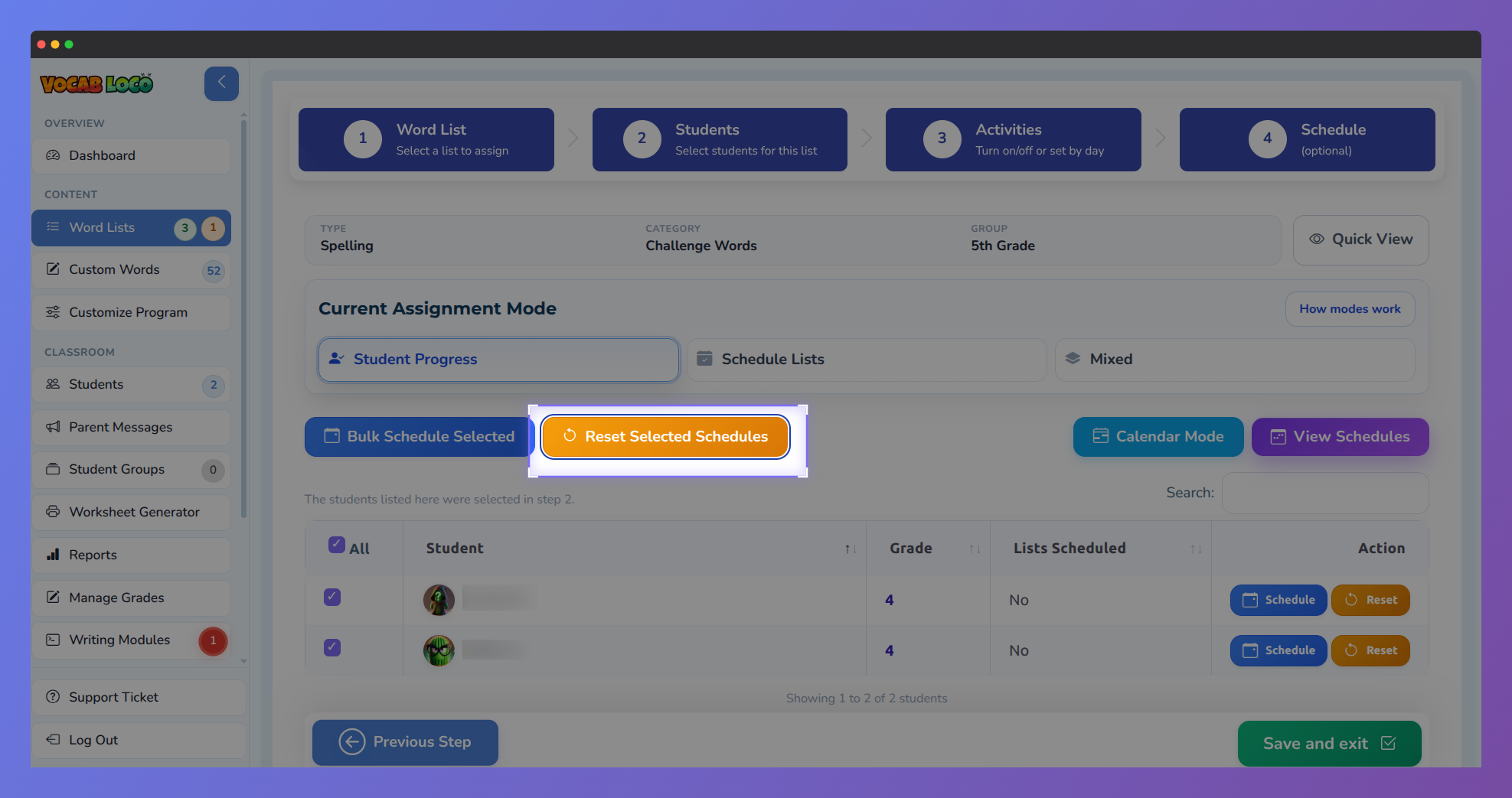 Step 4 of the assign form with all students selected and the Reset Selected Schedules button highlighted.
Those students will move to Student Progress mode. If all students in the assignment no longer have dates, the assignment will show as Student Progress mode.
Was this article helpful?
That’s Great!
Thank you for your feedback
Sorry! We couldn't be helpful
Thank you for your feedback
Feedback sent
We appreciate your effort and will try to fix the article