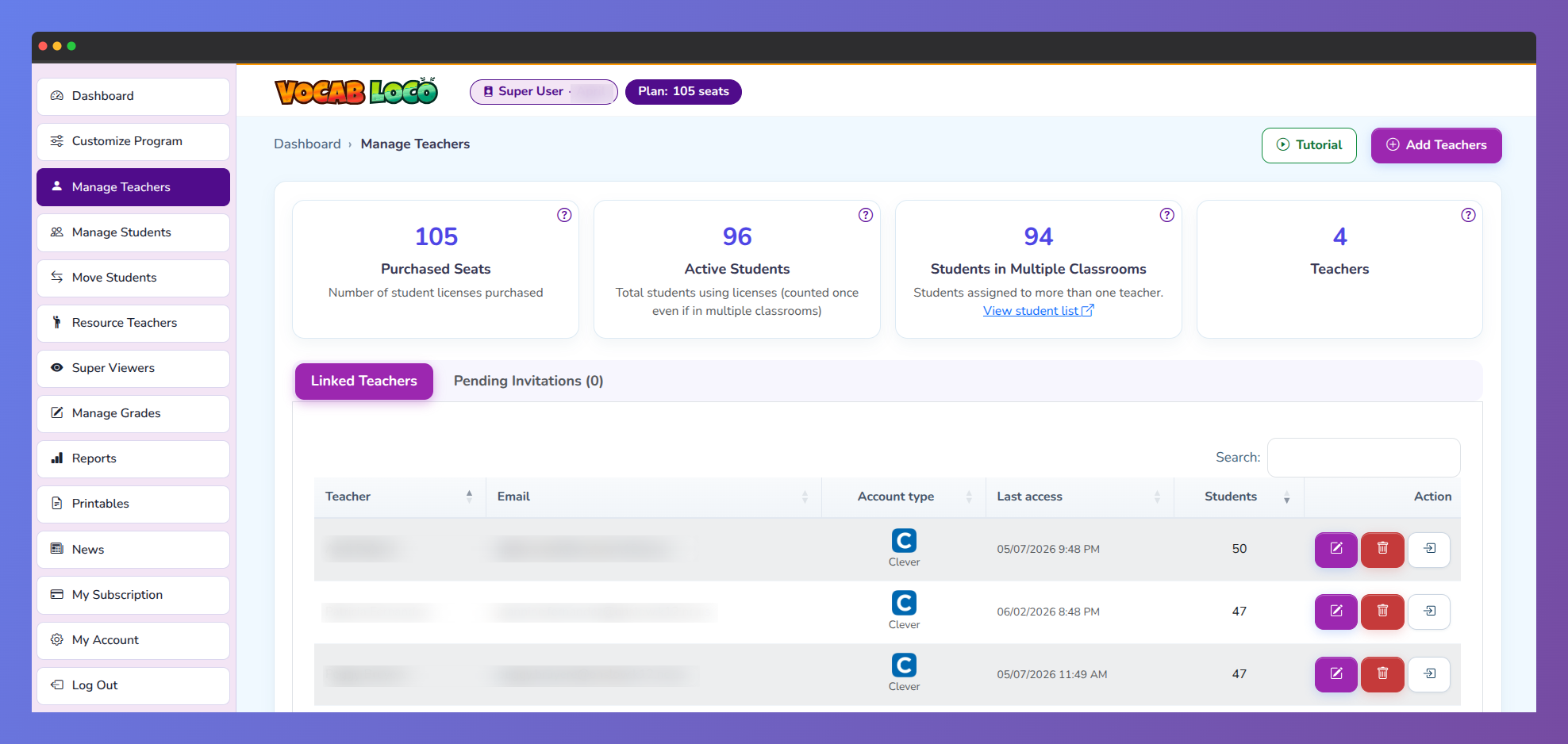
The Manage Teachers page is where Super Users add and oversee all teachers linked to their account. At the top of the page, four summary cards give you a live snapshot of your account: Purchased Seats (total student licenses), Active Students (total students counted once, even if enrolled in multiple classrooms), Students in Multiple Classrooms (visible only when applicable — these students do not use extra seats), and Teachers (total linked teachers).
Screenshot of Manage Teachers
Adding a teacher
Click Add Teachers in the top right corner to open the two-step form.
Step 1 — Teacher search
If there are teachers already registered on Vocab Loco with the same email domain as yours, they will appear in a list on the left. Search by name to filter the list and click Add Teacher next to the one you want to link.
If the teacher does not appear in the list or you prefer to search manually, enter their email address in the field on the right and click Next Step.
Step 2 — Teacher data
Vocab Loco will look up the email you entered and show one of two situations:
- Teacher found: the existing account is displayed and you can link it directly.
- Teacher not found: the email has no Vocab Loco account yet. You will see two options:
- Create Account — fill in the teacher's first name, last name, email, and a password. The account is created immediately and linked to your Super User.
- Send Invite — choose the account type the teacher will use: Vocab Loco, Clever, or ClassLink. An invitation email is sent and the teacher appears in the Pending Invitations tab until they accept.
Linked Teachers tab
The Linked Teachers tab shows a table of all teachers currently connected to your Super User account. Each row displays the teacher's name, email, account type (Vocab Loco, Clever, or ClassLink), date of last access, and number of active students.
The Action column gives you three options for each teacher:
- Edit — update the teacher's name, email, or password.
- Unlink — remove the teacher from your Super User account. A confirmation dialog will appear before the action is completed. Unlinking does not delete the teacher's account or their students' data.
- Log in — access the teacher's account directly to review their setup, word lists, students, and reports.
Pending Invitations tab
The Pending Invitations tab is enabled whenever there are invitations waiting for a teacher to accept. Each card shows the teacher's email, the date the invitation was sent, and the account type.
- Cancel / Delete — removes the invitation. The teacher will no longer be able to use that invite link.
- Resend — sends the invitation email again. This option becomes available after the initial delivery attempts have been made.
Once the invited teacher creates their account, Vocab Loco automatically links them to your Super User and they move from the Pending Invitations tab to the Linked Teachers tab.
Q: What happens to a teacher's students and data if I unlink them?
A: Unlinking a teacher removes their connection to your Super User account but does not delete their account, students, or any progress data. Their students will no longer count toward your purchased seats after the unlink is processed.
Was this article helpful?
That’s Great!
Thank you for your feedback
Sorry! We couldn't be helpful
Thank you for your feedback
Feedback sent
We appreciate your effort and will try to fix the article