AI credits power Vocab Loco’s AI tools, including auto-grading, word list analysis, and content generation. This article explains what AI credits are, how they’re used, and where teachers can track usage.
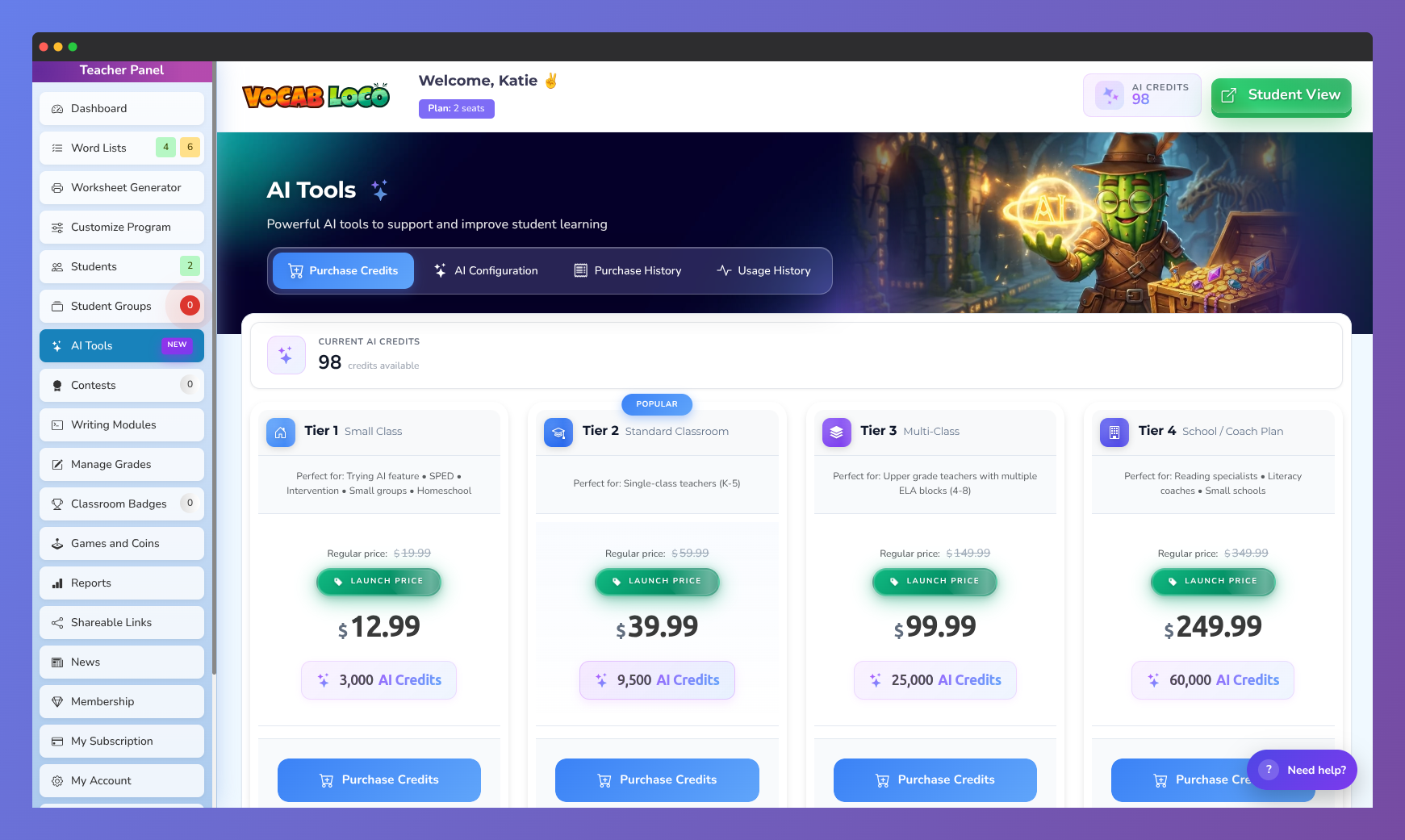
Screenshot of the Vocab Loco AI Tools purchase page showing available AI credits, classroom AI plans, pricing tiers, and options for purchasing credits to support AI-powered educational features.
What Are AI Credits?
AI credits are used whenever an AI-powered feature runs in Vocab Loco.
Each AI action consumes a small number of credits based on the task being performed.
Credits ensure fair usage while allowing teachers to control when and how AI tools are used.
Where to View Your AI Credits
To view your available credits:
- Go to AI Tools from the Teacher Panel
- Your Current AI Credits appear at the top of the page
- Click Usage History to see detailed credit activity
This allows teachers to monitor usage at any time.
What Uses AI Credits?
AI credits are used for actions such as:
- Writing Paragraph Auto-Grading
- Sentence Writing Auto-Grading
- Writing Prompt Auto-Grading
- Word List AI Analysis
- Word List Generator
- Word of the Day Sentence Corrector
- Word Customization
- Distractor Generator
- Bulk Generators (definitions, sentences, synonyms, antonyms)
Each time one of these tools runs, credits are deducted automatically.
When Are Credits Deducted?
Credits are deducted only when an AI action actually runs.
Examples:
- A student submits writing → auto-grading runs → credits are used
- A teacher analyzes a word list → credits are used
- A teacher opens AI Tools but does not run anything → no credits used
Important: If an AI feature is turned OFF in AI Configuration, no credits are consumed for that feature.
What Happens If Credits Run Out?
If AI credits are unavailable:
- AI features pause automatically
- Students can still complete activities
- Auto-grading will not run until credits are available
- No grades are lost
Teachers can purchase additional credits at any time.
Purchasing AI Credits
To purchase more credits:
- Go to AI Tools
- Click Purchase Credits
- Select the credit tier that fits your classroom size
Credits are added immediately after purchase.
Tips for Managing Credit Usage
- Turn AI features on only when you want them to run automatically
- Review Usage History regularly
- Use auto-grading strategically for high-value writing activities
- Choose a credit tier that matches your student count and usage needs
Key Takeaway
Summary: AI credits are used only when AI tools actively run. Teachers remain in full control of which features use credits and when.
Related Articles
Was this article helpful?
That’s Great!
Thank you for your feedback
Sorry! We couldn't be helpful
Thank you for your feedback
Feedback sent
We appreciate your effort and will try to fix the article