
As a School Leader/Super User, you have the ability to log directly into your teachers’ accounts to help them manage their students. This feature is especially helpful when a teacher is unsure how to make changes, or when you want to quickly take care of something for them.
Steps to Log Into a Teacher’s Account
Go to your Super User Dashboard.
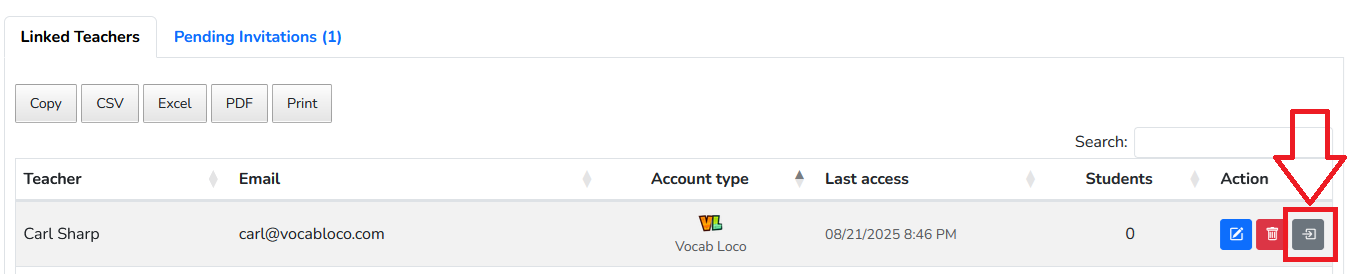
Click on Linked Teachers.
Find the teacher you want to access.
Under the Action column, click the Log In icon (the box with an arrow).
You’ll now be inside that teacher’s account and can make any needed changes on their behalf.
Was this article helpful?
That’s Great!
Thank you for your feedback
Sorry! We couldn't be helpful
Thank you for your feedback
Feedback sent
We appreciate your effort and will try to fix the article