
AI-Generated Word Lists
Access via Word Lists → Custom Word Lists → Edit → Create New List
Create AI-Generated Word Lists
Vocab Loco’s AI Word List Generator allows you to create custom vocabulary lists in seconds based on grade level, topic, and difficulty. These lists are saved directly into your Custom Word Lists and can be edited, assigned, or reused at any time.
How to Access AI-Generated Word Lists
From the Teacher Panel, click Word Lists
Select the Custom Word Lists tab
Click Edit Lists on the group you want to add lists to
Click Create New List
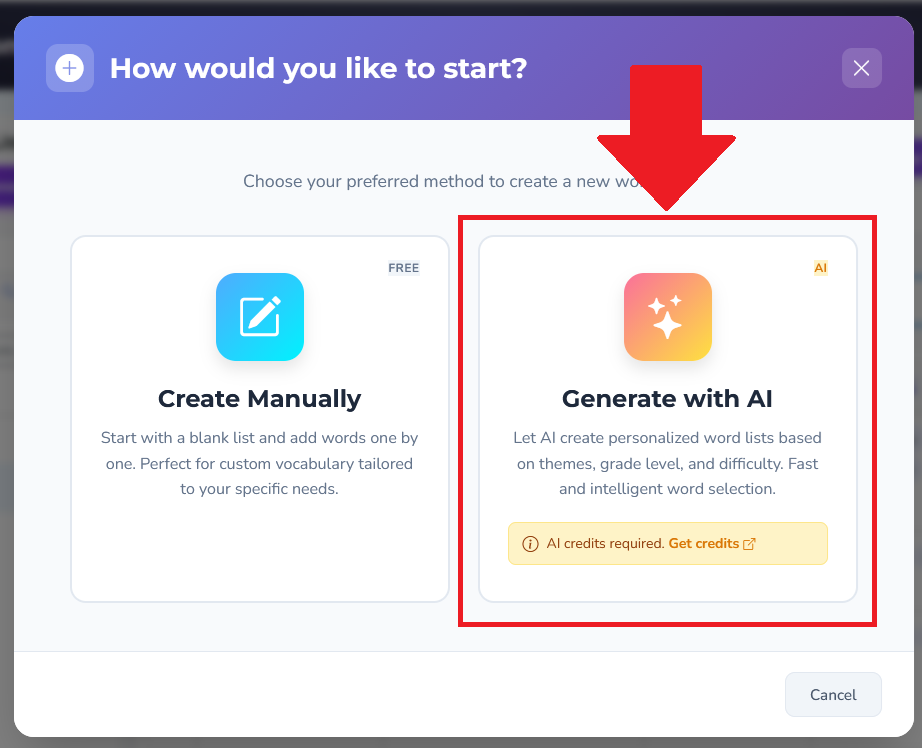
Choose Generate with AI
Note: AI-generated lists require AI credits.
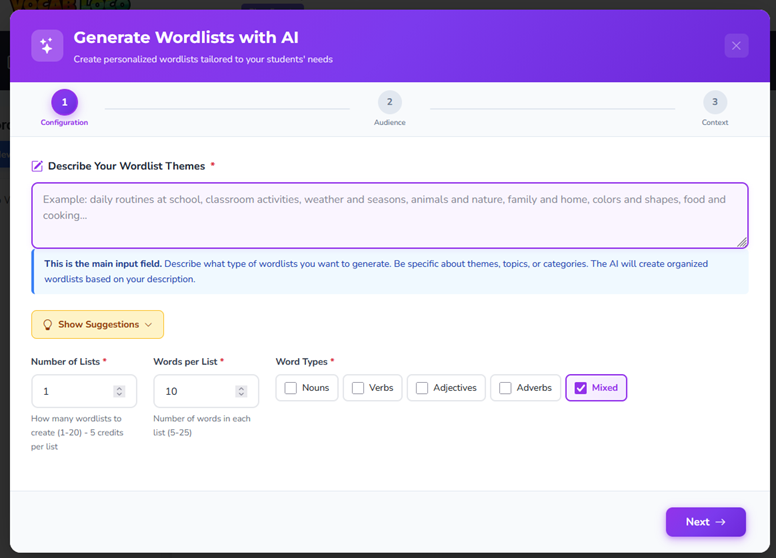
Step 1: Configure Your Word List
In the Describe Your Wordlist Themes field, type what you want the list to focus on.
Be as specific as possible.
Examples:
Seasonal weather vocabulary
5th grade science words about ecosystems
Character traits for upper elementary reading
Academic verbs for writing instruction
Next, select:
Number of Lists (1–20)
Words per List (5–25)
Word Types (Nouns, Verbs, Adjectives, Adverbs, or Mixed)
Click Next to continue.
Step 2: Choose Your Target Audience
Select:
Grade Level
Difficulty Level
Basic – simpler, foundational words
Intermediate – grade-level academic vocabulary
Advanced – more complex or challenge words
Click Next when finished.
Step 3: Generate Your Word Lists
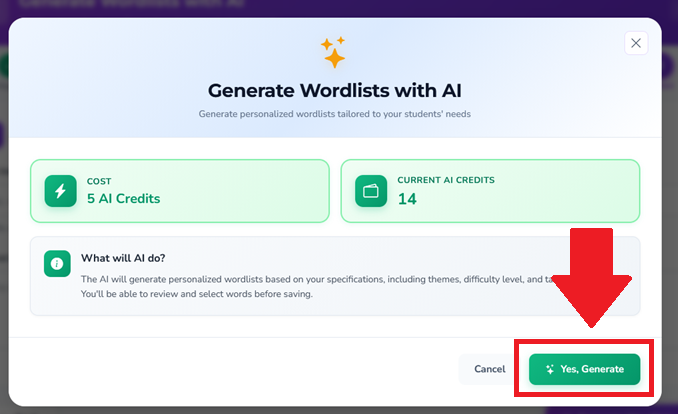
Before generating, you’ll see:
AI Credit Cost
Your Current AI Credit Balance
Click Yes, Generate to create your lists.
The AI will generate vocabulary based on your selections and organize them into lists automatically.
Review, Edit, and Save
Once generated, you can:
Rename lists
Remove individual words
Regenerate lists if needed
When ready, click Save & Import.
Your AI-generated lists will now appear in:
Word Lists → Custom Word Lists, where they can be:
Assigned to students
Edited later
Helpful Tips
More detailed theme descriptions produce better results
AI-generated lists are fully editable after creation
Credits are only used when generating lists — not while setting them up. You’ll always be asked to confirm before credits are used.
Was this article helpful?
That’s Great!
Thank you for your feedback
Sorry! We couldn't be helpful
Thank you for your feedback
Feedback sent
We appreciate your effort and will try to fix the article